Last update 2 Nov 2026
What's new in Adwix Connect
Every feature we ship, dated, with a how-to for the big ones. 17 updates since October 2026.
Biggest releases
Teach your WhatsApp AI with knowledge sources
Price lists, brochures and your website as separate sources, plus the questions the AI couldn't answer.
Read the updateA new, simpler WhatsApp automation rule builder
Ready-made rules, trigger cards, keyword chips and a live preview, with a warning when rules clash.
Read the updateA/B test your WhatsApp campaigns
Two templates, a small test group, and the winner goes to the rest of your list on its own.
Read the updateA better campaign builder, and reports that show every contact
An exact WhatsApp preview and estimated Meta charge before sending, and a per-contact report after.
Read the updateDeveloper API: send WhatsApp messages from your own software
An API key for your website, CRM or app to send WhatsApp messages and sync contacts.
Read the updateSchedule a WhatsApp reply for later
Write it now, send it later, and see when the 24-hour window closes.
Read the updateAn appointment booking page with WhatsApp reminders
A booking link with WhatsApp reminders, and a rebook message for no-shows.
Read the updateImport and sync contacts from your own Google Sheet
Paste a Sheet link to import contacts once, or keep them in sync.
Read the updateNovember 2026 10 updates
-
A better campaign builder
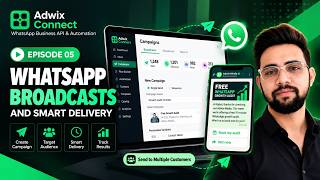
Search your templates by name or text, see exactly how the message will look on WhatsApp (image, bold text and buttons included), check the estimated Meta charge and a ready-to-send checklist before you publish.
How it works → -
New automation rule builder
Start from a ready-made rule (welcome, away message, price question and more), pick the trigger from cards, add keywords as chips, and see a live preview of the reply plus a warning if another rule would answer first.
How it works → -
Clearer campaign reports
Open any campaign to see exactly where every person ended up — replied, read, delivered, awaiting delivery, failed or skipped — with the reason, response times, button taps, the estimated Meta charge and a CSV export.
How it works → -
Refer & earn: get a month free
Share your referral link from Refer & earn. For every business that joins Adwix Connect with it and stays 30 days, you get a month of your plan free — and they get free setup help.
-
Developer API
Connect your own website, CRM or app: create an API key in Integrations → Developer API to send WhatsApp messages and sync contacts from your software.
How it works → -
A/B tests: schedule, follow-ups, any template
A/B tests can now start at a time you pick, send a follow-up, and Template B gets its own variables, link value and product or Buy-now templates.
How it works → -
AI knowledge sources
In Adwix AI, add your price lists, brochures or website as separate sources, switch them on or off, and see the questions the AI couldn't answer — answer one and it handles it next time.
How it works → -
A/B test your campaigns
New campaign → A/B Test: try two templates on a small part of your audience, and Adwix sends the one with the better reply or read rate to everyone else automatically.
How it works → -
Schedule a reply for later
In any chat, tap + → Schedule message, write your reply and pick a time — it goes out automatically. Adwix shows when the 24-hour reply window closes so your message isn't blocked.
How it works → -
Quick search and a cleaner dashboard
Tap Search (or press Ctrl+K / ⌘K on a computer) to jump to any chat, contact, template or page. The Overview now shows weekly trends, campaigns show Delivered %, and the campaign date filter has quick presets.
October 2026 7 updates
-
Ask for a delivery address
Send WhatsApp's address form from a chat or as a flow step — the customer fills it in on their phone and it's saved on the contact (Indian numbers).
-
Product carousels in flows
The Send Product step can now show 2–10 products as a swipeable carousel.
-
Named template variables
Write {{first_name}} instead of {{1}} when you create a template, and mix quick-reply and link buttons in one template.
-
Appointment booking page
Share a booking link — customers pick a free slot, get reminders on WhatsApp, and no-shows get a rebook message.
How it works → -
Archived chats
Archive conversations you're done with, or let quiet chats archive themselves after 30, 60 or 90 days. A new message brings them back.
-
Use your own Google Sheet
Paste a Google Sheet link to import contacts from it or keep it in sync with Adwix Connect.
How it works → -
See every automation run
Rules and flows now show how many times they ran and whether each run worked — click a row to see the details.
How it works →
See the real product before you spend a rupee
Every feature has its own short episode in our tutorial series, recorded inside a live Adwix Connect account.