Learn · Glossary
WhatsApp Business API glossary
The words you'll meet when you set up WhatsApp for your business, explained in plain English, with a link to the full guide for each one.
A
- AI Agent
- An assistant that reads customers' free-form questions on WhatsApp and replies from the knowledge you give it, such as your price list, brochure or website. In Adwix Connect it lists the questions it couldn't answer instead of guessing. How the AI Agent works
- Authentication template
- A template category for one-time passwords and login codes. Meta prices it separately from marketing and utility messages. Template categories explained
B
- Blue tick (Official Business Account)
- The badge next to a business name on WhatsApp that shows Meta has confirmed it as an Official Business Account. It used to be green, which is why people still search for the "green tick". How to apply for the blue tick
- Broadcast
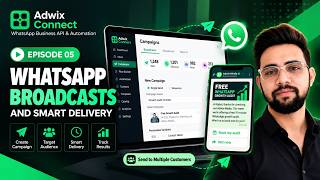
- One approved template sent to many opted-in customers as individual messages, not a group. On the API it reaches your whole opted-in list and reports delivery, reads and replies for each person. Broadcast campaigns
- Business verification
- Meta's check that your business is real, done with a business document. It unlocks higher messaging limits and is needed before you apply for the blue tick. What you need before you start
C
- Chatbot (flow)
- A fixed, step-by-step conversation you design with buttons, questions and conditions, for example to qualify a lead or book a call. It hands the chat to a person whenever you choose. Build a chatbot flow
- Click-to-WhatsApp ads
- Facebook or Instagram ads whose button opens a WhatsApp chat with your business instead of a website. Replying within 24 hours opens a free entry point window. Click-to-WhatsApp ads guide
- Cloud API
- The version of the WhatsApp Business API that Meta hosts itself. Platforms like Adwix Connect run on it, so you don't need your own servers. API vs Business app
- Coexistence
- Connecting a number that is already on the WhatsApp Business app to the API without removing the app. You keep chatting from your phone, and messages from both sides appear in your team inbox. Connect your number
- Customer service window (24-hour window)
- The 24 hours after a customer's last message, during which you can reply freely. Each new message from the customer restarts the timer. After it closes, only an approved template can restart the conversation. The 24-hour window, explained
D
- Delivery status
- What happened to each message: sent, delivered, read or failed. A message to a phone that is off stays undelivered while WhatsApp keeps trying, for up to 30 days. Campaign reports
- Display name
- The business name customers see in WhatsApp. Meta reviews it, and it has to match your business. Set up your number
- Drip sequence
- A timed series of messages sent over days, which stops when the customer replies. Useful for follow-ups after a quote or an enquiry. WhatsApp automation
F
- Free entry point
- When a customer reaches you from a Click-to-WhatsApp ad and you reply within 24 hours, Meta opens a window of up to 7 days in which your messages to that customer are not charged. How the windows work
I
- Interactive message
- A message with buttons, a list or a product the customer can tap instead of typing. Taps make replies faster and easier to automate. Template examples
M
- Marketing template
- A template category for offers, announcements and anything promotional. It is the most expensive category per message. Template categories explained
- Messaging limit (tier)
- How many different customers you can start conversations with in 24 hours: 250 for a new account, then 2,000, 10,000, 100,000 and unlimited as your volume and quality grow. Messaging limits explained
- Meta message charges
- What Meta bills per delivered template message, at a rate that depends on the category and the customer's country. Adwix Connect adds no markup. WhatsApp API pricing calculator
O
- Opt-in
- A customer's clear permission to receive messages from your business on WhatsApp. Meta requires it before you send templates, and it protects your quality rating. How to collect opt-ins
- Opt-out
- A customer asking to stop receiving messages, for example by replying STOP. Respect it straight away: people who keep getting messages they didn't want report numbers. Send bulk messages safely
P
- Portfolio (Meta business portfolio)
- Your business's account in Meta's business tools (formerly Business Manager). Your WhatsApp Business Account belongs to it, and messaging limits apply across the portfolio. What you need before you start
Q
- Quality rating
- Meta's score for how customers react to your messages: High (green), Medium (yellow) or Low (red). Blocks, reports and low read rates pull it down. Keep your number green
S
- Service message
- A free-form reply you send inside the 24-hour customer service window, without needing a template. The 24-hour window, explained
T
- Template (message template)
- A pre-written message that Meta approves before you can use it. Templates are the only way to start a conversation or to message someone after the 24-hour window. Create your first template
- Template rejection
- Meta declining a template, usually because of its wording, category or variables. Most rejections are fixed with small edits. 12 fixes for rejected templates
- Template variables
- Placeholders in a template that are filled in for each customer, such as a name or an order number, for example {{first_name}}. Product updates
U
- Utility template
- A template category for updates about something the customer already asked for or bought, such as order confirmations, payment reminders and appointment reminders. Template categories explained
W
- WABA (WhatsApp Business Account)
- The account inside your Meta business portfolio that holds your WhatsApp phone numbers and templates. You create it while connecting your number, inside Meta's own sign-up window. Connect your number
- Webhook
- A web address that receives new messages and events as they happen, so other tools, such as Zapier, Make or your own system, can act on them. Integrations and API
- WhatsApp Business API
- Meta's official way for businesses to use WhatsApp through software instead of a single phone: a team inbox, automation, broadcasts to large opted-in lists and integrations. API vs Business app
- WhatsApp Business app
- Meta's free app for small businesses, used on one phone (plus linked devices), with broadcast lists capped at 256 contacts. When to move to the API
Frequently asked questions
A WABA, or WhatsApp Business Account, is the account in your Meta business portfolio that holds your WhatsApp phone numbers and message templates. You create it while connecting your number to a platform such as Adwix Connect.
A template is pre-approved by Meta and is the only way to start a conversation or message a customer after the 24-hour window. A normal (service) message is a free-form reply sent inside the 24-hour window.
It is how many different customers you can start conversations with in 24 hours. New accounts start at 250, then move to 2,000, 10,000, 100,000 and unlimited.
Ready to put this into practice? Adwix Connect runs on Meta's official WhatsApp Business API, from ₹999 a month.
Watch it in action
See the real product before you spend a rupee
Every feature has its own short episode in our tutorial series, recorded inside a live Adwix Connect account.